 TBH Money Making Guide - Earn Steam Wallet Funds
- How TBH Turns Idle Time into Steam Cash
- What You Need Before You Can Sell
- What Sells and What Does Not
- The Best Money-Making Team
- How to Price Your Items for Quick Sales
- The #1 Cube Trap That Destroys Your Upgrades
- Pre-Listing Checklist
How TBH Turns Idle Time into Steam Cash
TBH has a real-money Steam Community Market integration. Your heroes kill monsters, monsters drop items, and some of those items can be sold for Steam Wallet funds - real money you can spend on any Steam game, DLC, or market item.
The loop is simple:
Important reality check: This isn't a job. A well-optimized setup running 24/7 might earn $0.50–$3.00 per day in Steam Wallet credit, depending on your progression, market conditions, and luck. The goal is to offset your gaming expenses, not replace your income.
What You Need Before You Can Sell
You can't just install the game and start selling. There are hard gates:
| Requirement | How to Meet It | Time Estimate |
|---|---|---|
| Cube Level 10 | Alchemize Common and Uncommon gear to earn Cube XP. The 10g fee is negligible - the XP is the real reward. | ~10–15 hours of active play |
| Legendary+ Gear | Only Legendary rarity and above can be sold on the Steam Market. Common, Uncommon, and Rare gear is trade-locked. | Regular drops from mid-game stages |
| Steam Guard Mobile Authenticator | Steam requires it for market listings. Set it up in Steam's mobile app. | 15 minutes, one-time |
 What Sells and What Does Not
High-Demand Items
| Item Type | Why It Sells | Demand Level |
|---|---|---|
| Soulstones | Required for late-game gear upgrades. Four tiers: Normal, Nightmare, Hell, Torment. Higher difficulties drop higher-tier soulstones that sell for premium prices. | Extreme |
| Decoration Gems | Players socket these for random bonus stats. Consumed on use, so demand is constant. Rubies and Sapphires are the most traded. | Extreme |
| Engraving Materials | Guaranteed stat bonuses - no RNG. Players always need more. Goblin Leather, Wolf Fangs, and Spider Silk are the entry-level staples. | High |
| Weapons with Crit Rate + Crit Damage | Every DPS class stacks these. A Legendary sword with 10%+ Crit Rate and 50%+ Crit Damage will sell within hours. | High |
| Accessories with Skill Effect | Rings, Amulets, Earrings, and Bracers with high Skill Effect rolls. Sorcerer and Hunter builds need these. Drop rates on accessories are low, so crafted ones sell well. | Medium-High |
What NOT to List
- Common, Uncommon, Rare gear - Cannot be traded on the market at all.
- Gear at milestone levels - Items at levels 25, 35, 45, 55, 60, 70, 75, 85, and 90 are permanently untradeable, regardless of rarity.
- "Type B" variant gear - Items with "Type B" in their name are also market-banned.
- Items with dead stats - A Sorcerer staff with +Physical Damage won't sell. Stats must match the class that uses the weapon type.
 The Best Money-Making Team
The key to consistent income: a team that survives indefinitely while killing fast. An all-damage team that wipes during the night earns you nothing. An all-tank team that kills too slowly earns you very little.
| Slot | Class | Role | Why This Class |
|---|---|---|---|
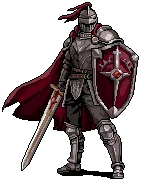
| 1 (Front) | Knight | Tank | Highest base HP (130) and Armor (45) in the game. Absorbs damage that would one-shot your other heroes. Low gear investment to be effective. |
| 2 (Middle) | Ranger | DPS | Fastest wave clear among free classes. Attack Speed scaling means more kills per minute = more drop rolls per hour. |
| 3 (Back) | Priest | Healer/Buffer | The only healer in the game. Blessing of Might gives up to 90% party attack boost. Free DLC from the Steam store. |
Starter Gear Priorities for Farming
| Class | Stat Priority | Why |
|---|---|---|
| Knight | Max HP → Armor → HP Regen | Survival is the only thing that matters. A dead tank produces zero drops. |
| Ranger | Attack Speed → Crit Chance → Attack Damage | Faster attacks = more kills = more drop rolls. Crit scales multiplicatively with Attack Speed. |
| Priest | Cooldown Reduction → Max HP → Armor | Faster heals and more frequent Blessing of Might uptime. Priest needs enough HP to survive stray hits in Hell+ difficulty. |
How to Price Your Items for Quick Sales
- Check current listings first. Open the Steam Market, search for your item type with similar stats, and see what others are charging.
- Check Buy Orders. Buy Orders tell you what buyers are actively waiting to pay. Matching a Buy Order sells your item instantly - no waiting for someone to find your listing.
- Undercut by 5–10%, not 50%. A small discount makes your listing the obvious choice without crashing the market price for everyone (including your future sales).
- Sell in batches. Don't list items one by one. Check what batch sizes Buy Orders are requesting and match them. Bulk sellers get faster turnover.
- Factor in Steam's ~15% cut. Steam takes roughly 15% per transaction. If you need $1.00 net, list at approximately $1.18.
 The #1 Cube Trap That Destroys Your Upgrades
Example: You socket a rare +15% Critical Chance gem into an Immortal-quality weapon. You list that weapon on the Steam Market. The buyer receives a naked weapon. Your rare gem is gone forever.
The safe workflow:
- Decide sell vs keep BEFORE socketing anything. Once a gem goes in, it doesn't come back out.
- If you already socketed gear and want to sell, use the Cube's Extraction feature (unlocked at Cube Level 10, costs 1,000 Gold) to strip all attached resources first. The materials are still lost - but at least the buyer gets a clean item and you don't waste the listing.
Other Common Pitfalls
- Canceled listings go to your Mailbox, not your inventory. If you delist an item, open the in-game Mailbox, wait 10 seconds for the refresh timer, and manually claim it. It won't appear in your regular bag.
- Listing fees are non-refundable. Steam charges a small fee when you list. If the item never sells, the fee is gone. Price realistically.
Pre-Listing Checklist
Before you list anything, confirm all five:
- Cube Level ≥ 10 (if not, keep alchemizing and come back)
- Item is not Level 25/35/45/55/60/70/75/85/90 (milestone gear = untradeable)
- Item does not have "Type B" in its name (Type B = untradeable)
- All Cube-attached stats have been stripped via Extraction, or the item was never decorated/engraved/inscribed
- You've checked current Buy Orders and priced competitively